A memory for
the little things.
Preferences, projects, and the details worth keeping. Persistent memory lives on your machine, and you can inspect what she remembers.
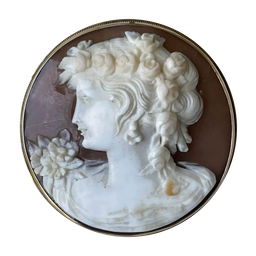 Lady Chatterley
A DESKTOP COMPANION · FOR macOS
A good conversation ought to leave an impression.
Preferably one that lasts beyond the afternoon.
Meet Lady Chatterley. An AI companion who remembers what you tell her, looks things up, and lends a hand with the work at your desk. Victorian sensibility. Thoroughly modern faculties.
Make her acquaintanceAt home on your Mac. Bring your own model.
LADY CHATTERLEY
Not your ordinary correspondence.
I. AN INTRODUCTION
Most chat windows start with a blank slate. Lady Chatterley keeps a notebook. The things you share can become memories, ready to return when they matter. Less repeating yourself. More picking up where you left off.
An illustrative exchange. Her replies depend on the model you choose.
II. THE PARTICULARS
No elaborate ceremony.
Just a capable companion.
Preferences, projects, and the details worth keeping. Persistent memory lives on your machine, and you can inspect what she remembers.
When the answer lies beyond the conversation, she can search the web and read pages. A well-informed reply beats a confident guess.
Share a document for her to read, or ask her to make something new. Access is limited to files you give her and those she creates—not your entire Mac.
A little less “enter your prompt.”
A little more “do come in.”
III. AN INVITATION
Make a little room on your desktop.
She’ll bring the conversation.
Version 0.1.0 · 368 MB · Apple silicon · macOS 11.0+
Chat runs with your chosen provider; their terms and usage charges apply. Memory is stored locally. Shared content is sent to the model as needed.
Verify the downloadThe app connects to a model provider of your choice. You supply the API key, and any model usage is billed by that provider. You can also use a local model provider.
Your conversation history and persistent memory are stored locally. Hosted models receive the context needed to answer; web searches and browsing also contact external services. Local storage does not mean every interaction is offline.
Yes. Settings supports Ollama Cloud, local Ollama, OpenAI, Anthropic, OpenRouter, and compatible custom endpoints. You choose the provider and model. API keys are kept in the macOS keychain.